14 days free
Create an account and get started right away

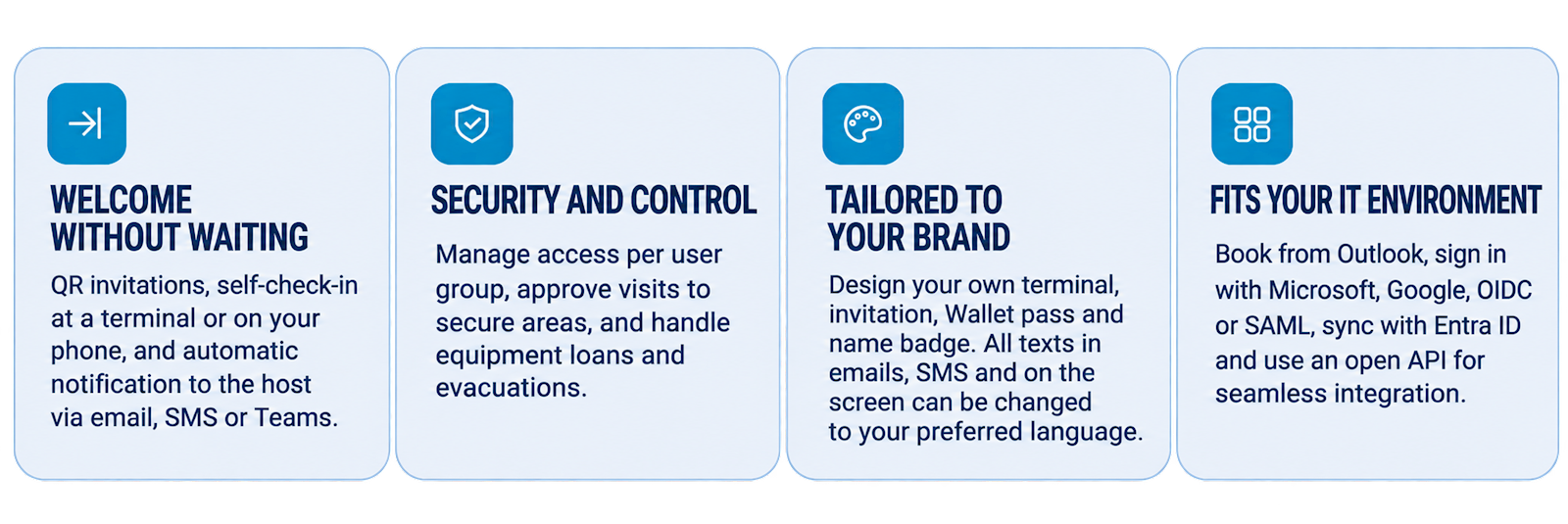
Mail · SMS · Teams
The host is told when the guest arrives

Data in the EU
Separated per customer and encrypted

HOW  IT WORKS


A VISIT, FROM START TO FINISH

Follow a guest through their day. Each step is handled automatically, keeping reception informed of who is on site at all times.

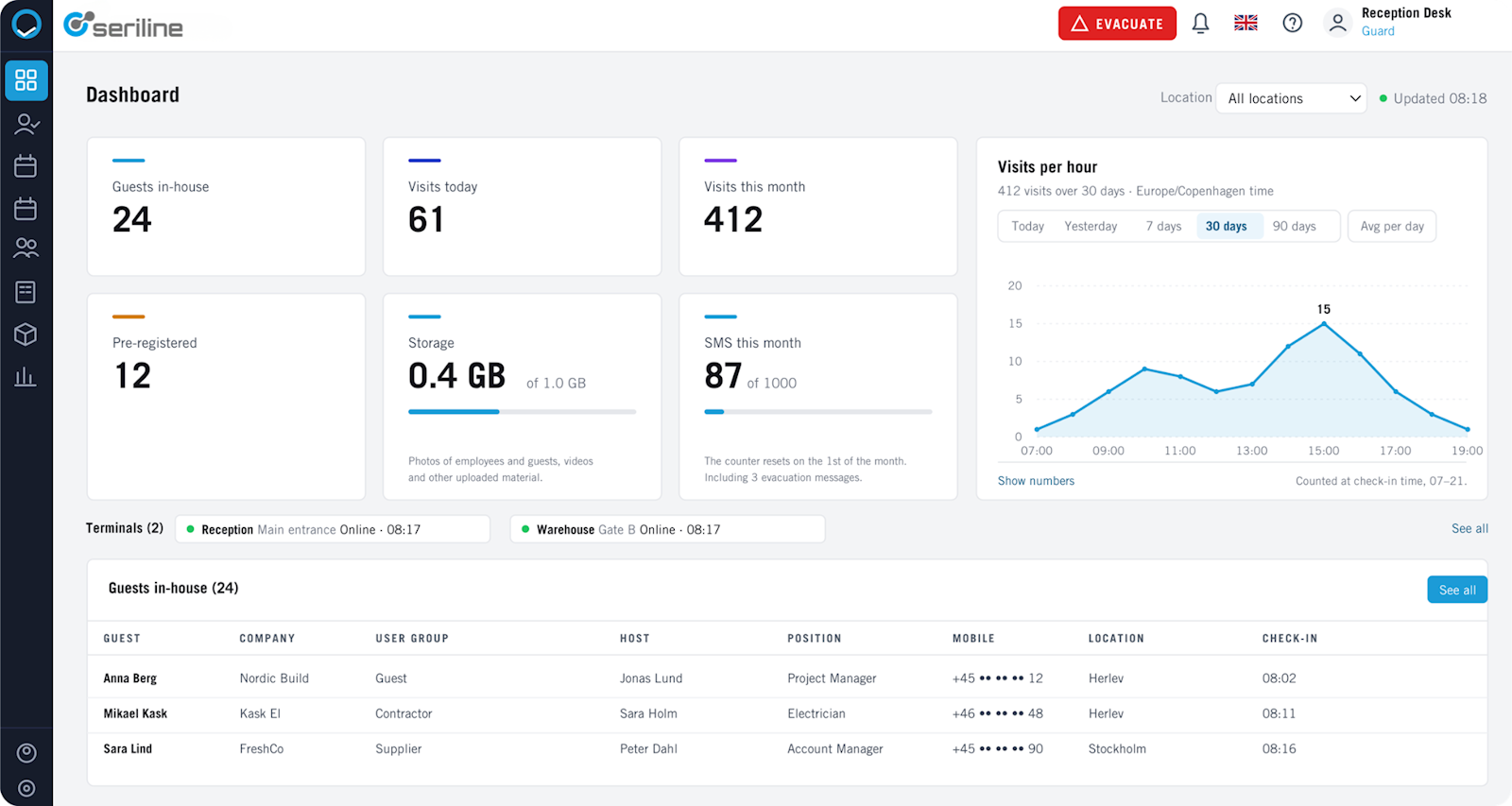
Make it easy to welcome visitors and keep track of who is on site. Serix Visitor is a digital visitor management system that simplifies the handling of visitors, consultants, contractors and suppliers. Reception gains a clear overview, while hosts are automatically notified when their guests arrive. This reduces administration and creates a more secure visitor experience, with support for managing personal data in accordance with the GDPR.

1. BEFORE THE VISIT

THE INVITATION TAKES CARE OF THE DETAILS

The host registers the guest, who receives a branded email invitation featuring your logo and colours, with the time, location, host details and a QR code. The invitation can also include a parking map, a link to a safety video and a pass for Apple Wallet or Google Wallet.

  • Visitor registration directly from an Outlook meeting
  • A Wallet pass that updates automatically if the meeting is rescheduled
  • A parking map with directions

"With Serix Visitor, you can manage visits securely and efficiently. You can easily pre-register visitors and contractors, control access and keep a real-time record of who is on site. This helps you give every guest a professional welcome and gives your team the information they need to account for visitors and contractors during an evacuation."

Mattias Håkansson på Seriline

Mattias Håkansson

Product Manager

SERILINE

2. ON ARRIVAL

CHECK IN IN SECONDS

Guests scan their QR code at the terminal or check in on their own phone. Visitors without an invitation select their preferred language, enter their details and choose their host. A visitor badge is printed immediately.

  • Hosts are notified by email, SMS or a Teams call
  • Email serves as a fallback if a notification cannot be delivered
  • Secure printing: The badge is only printed when the host collects their guest

3. BEFORE ACCESS IS GRANTED

SAFETY BEFORE ACCESS

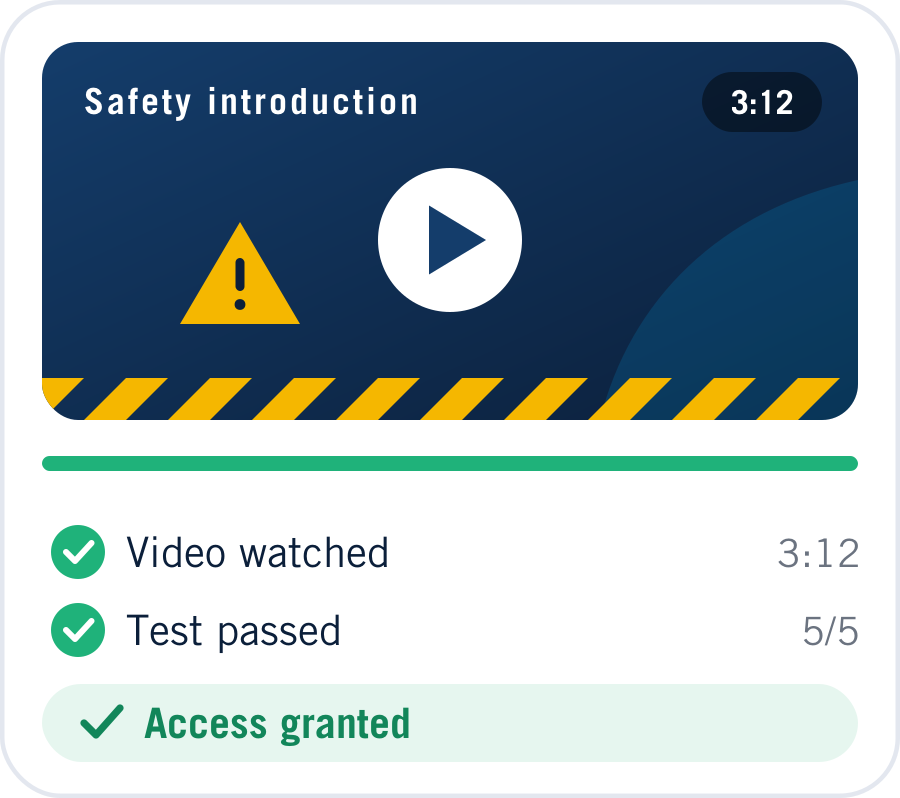
The visitor’s user group determines which steps they need to complete. A contractor may need to accept your site rules, watch a safety video and pass a safety test, while a regular visitor simply enters their details.

  • The video is viewed on the visitor’s own phone
  • A test with randomised questions and a defined pass mark
  • Proof of completion is retained for the visitor’s next visit

DOWNLOAD
 

4. IF THE ALARM SOUNDS

ACCOUNT FOR EVERY VISITOR ON YOUR PHONE

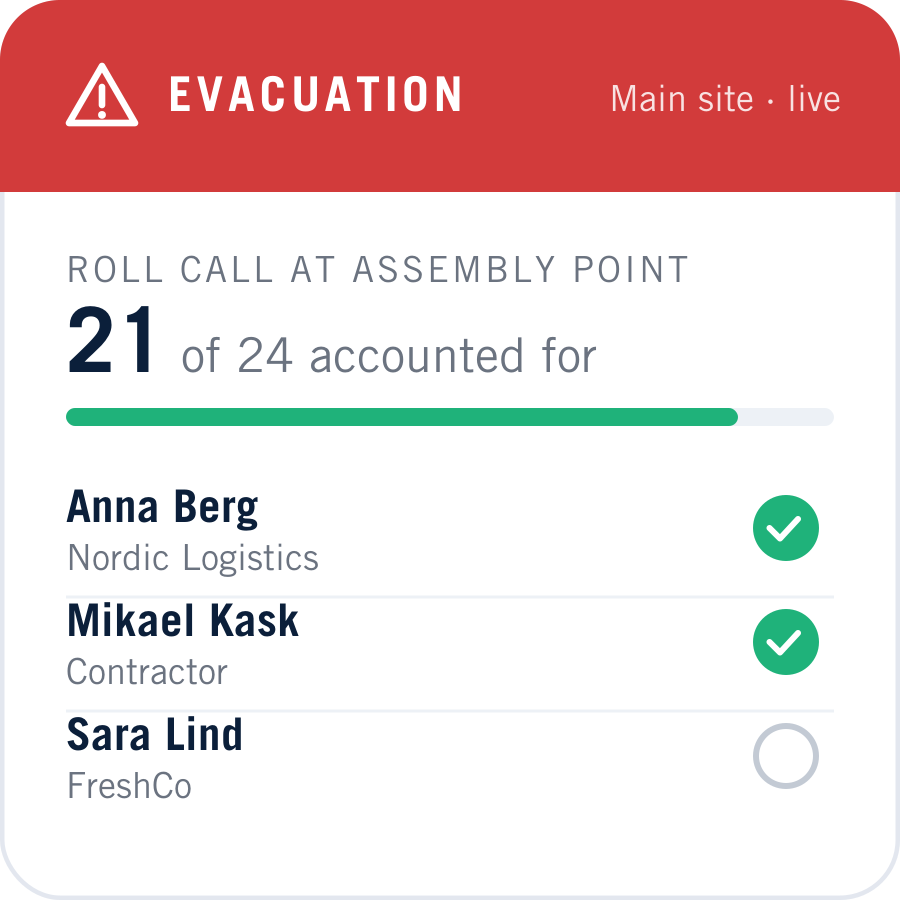
A single tap on EVACUATION activates the alarm on the terminals. Designated emergency coordinators receive an SMS and email with a link to the visitor list. The list opens on their phones without requiring a login, allowing them to mark visitors as accounted for at the assembly point.

  • Alarms on all terminals at the site
  • A continuously updated visitor list
  • A report once the evacuation is complete

ONE PLATFORM

THE ENTIRE VISIT. ALL IN ONE PLACE.

Every visitor is registered and welcomed, while reception always knows who is on site. Everything in one system.


AND MUCH MORE
EVERYTHING ELSE RECEPTION NEEDS TO KEEP TRACK OF

Serix Visitor also handles the everyday details that would otherwise require a note, a phone call or a spreadsheet.


GETTING STARTED

From sign-up to your first visitor in a single day

Follow the step-by-step guide to set up your visitor management system and start welcoming visitors the same day.


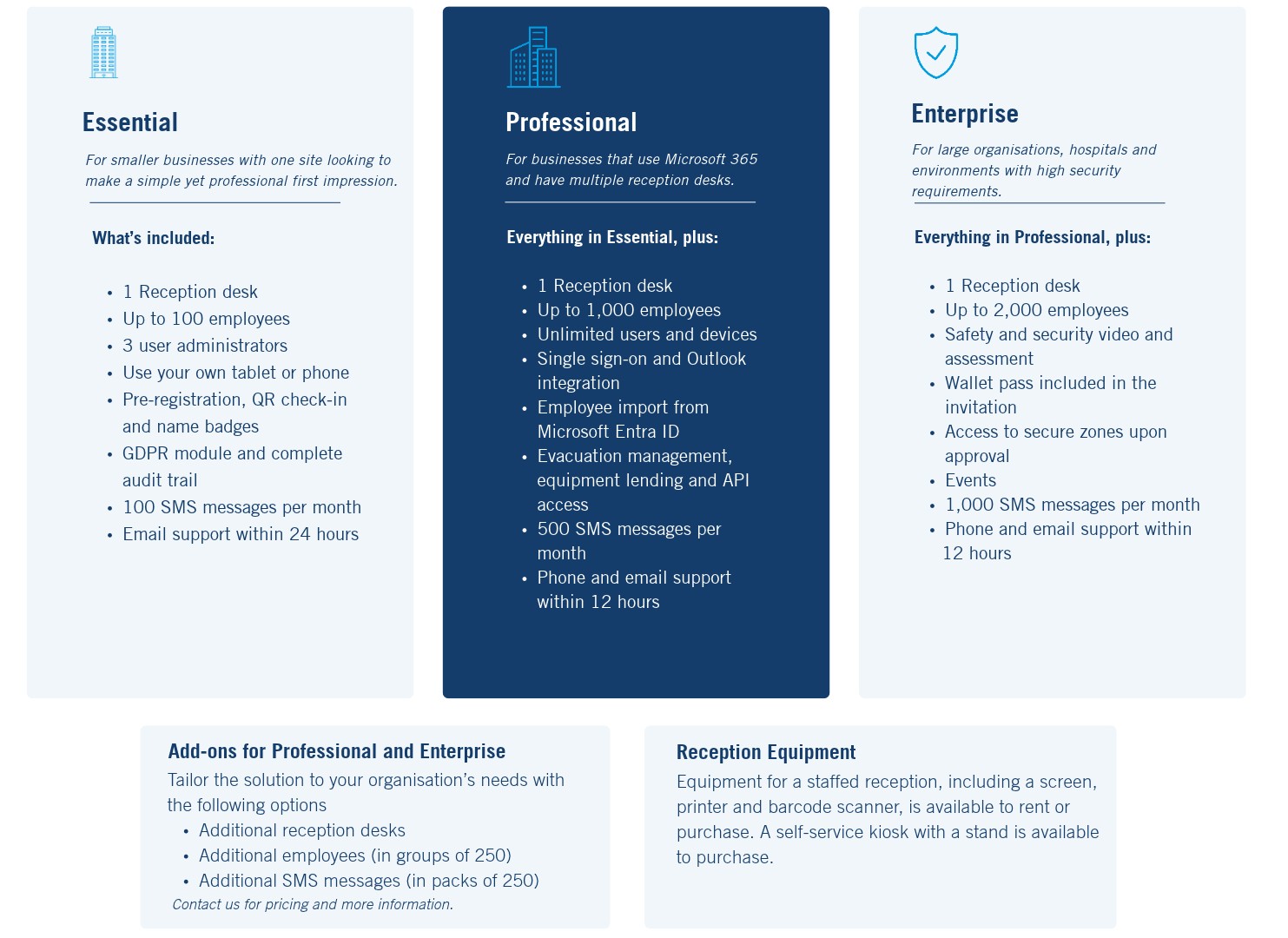
PLANS

CHOOSE THE RIGHT PLAN FOR YOUR ORGANISATION

All plans start with a free 14-day trial.

FAQ

Here you will find the questions we most commonly receive from our customers. If you cannot find the answer you are looking for, please feel free to contact us.

No. The portal runs in your web browser. If you use a terminal with a barcode scanner or badge printer, the Serix Agent is installed on that device.

Your data is stored separately for each customer and encrypted in a data center within the EU. Personal data is automatically anonymized after the retention period you choose.

Yes. The visitor selects a language on the terminal, enters their details, and chooses who they are visiting.

Via email, SMS, or a Teams call with a recorded message. If a notification is not delivered, an email is sent as a fallback.

The system automatically closes the visit after 1 to 48 hours, or at midnight, depending on your settings.

Danish, Swedish, Norwegian, Finnish, English, German, and French. You choose which languages the terminal offers. Additional languages can also be configured if needed.

14 DAYS FREE

TRY IT FREE FOR 14 DAYS

Create an account and welcome your first guest today.


  • A seven-step guide
  • Get started in just a few minutes

Start your free trial
 

Already have an account? Log in